

Before a commit
Review staged changes with focus.
lurus code-review-ci --staged Your code is never stored. GDPR-compliant processing with immediate data deletion.
View our security standardsCode Review
Review changes in context: architecture, security and performance. Get explainable findings, not just another opinion on style.
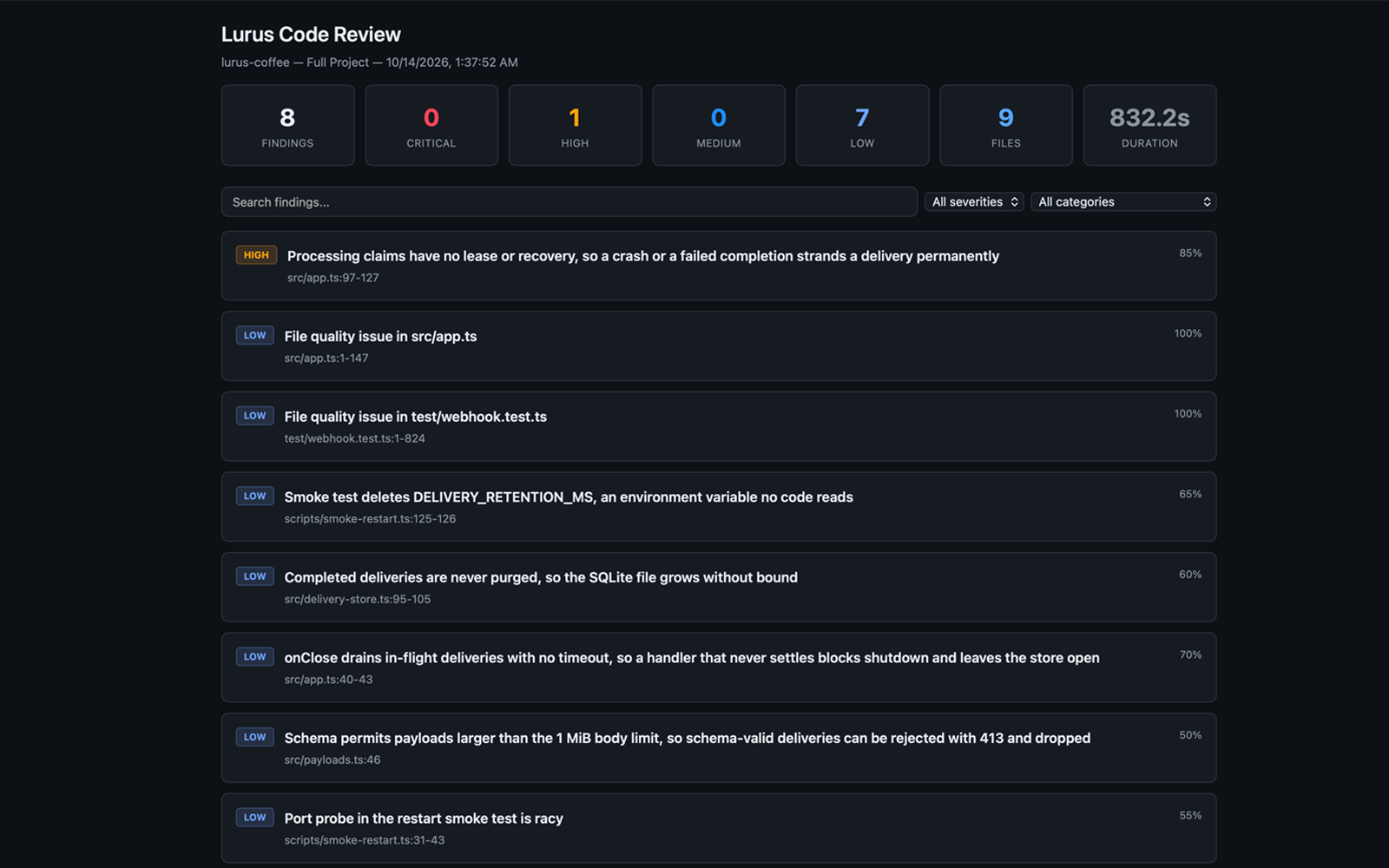
From diff to decision
The change scope and project structure form the basis for analysis. Pre-checks such as linting and type-checking help separate mechanical issues early.
Architecture, security and performance are considered together – not just assessed line by line.
The structured report explains issues and makes next steps clear. You decide what needs to be resolved before merging.
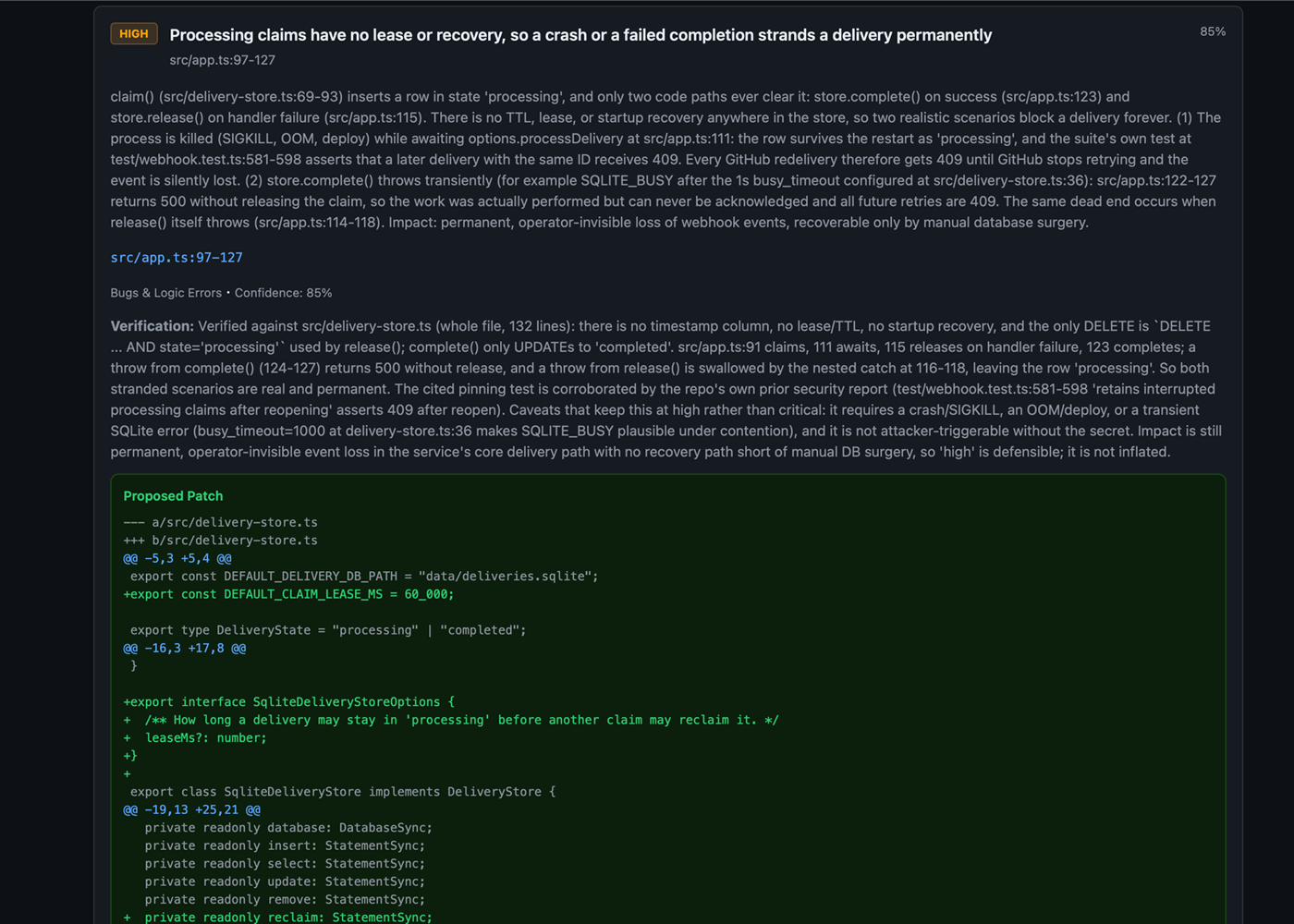
Use HTML for a readable report, JSON for automated processing or PR comments within your review workflow. Choose the output that fits the next step.
The right scope
Review staged changes with focus.
lurus code-review-ci --staged Compare against a branch or commit.
lurus code-review-ci --diff-base main Include the full codebase in the review.
lurus code-review-ci --full Start locally with a diff. Bring the same review into your pipeline when the process fits. Human review and tests remain part of your approval.
For Pro, Pro+ and Ultra. Paid subscription after the trial unless you cancel beforehand. Usage and features depend on your plan and credit.
AI reviews can miss issues or produce incorrect findings. They support your review – they do not guarantee correctness or a safe merge.
npm install -g @scramble-cloud/lurus-code-clilurus loginlurus code-review-ci --stagedSource code and request context are processed with Zero Data Retention. No use for model training. Providers and processing regions are disclosed transparently.
See privacy and processing detailsCode Review
Try a review on a real change. Start with staged files or a comparison against your target branch.
For Pro, Pro+ and Ultra. Paid subscription after the trial unless you cancel beforehand. Usage and features depend on your plan and credit.
Want to start with your team? Talk to us.Lura is the language model adapted by Lurus for coding tasks. It uses separate Lura credits provided in addition to your regular model credits.