Skip to content

Lurus Code vs Windsurf

More agent. No new editor required.

Lurus extends your VS Code and CLI day with agentic workflows, model choice and review. For developers and teams who want to keep their environment and manage usage intentionally.

One free week for Pro, Pro+ and Ultra. Paid subscription afterwards unless you cancel beforehand. Usage and features depend on your plan and credit.

  • VS Code + CLI
  • Models across providers
  • No model training
Your project takes center stage
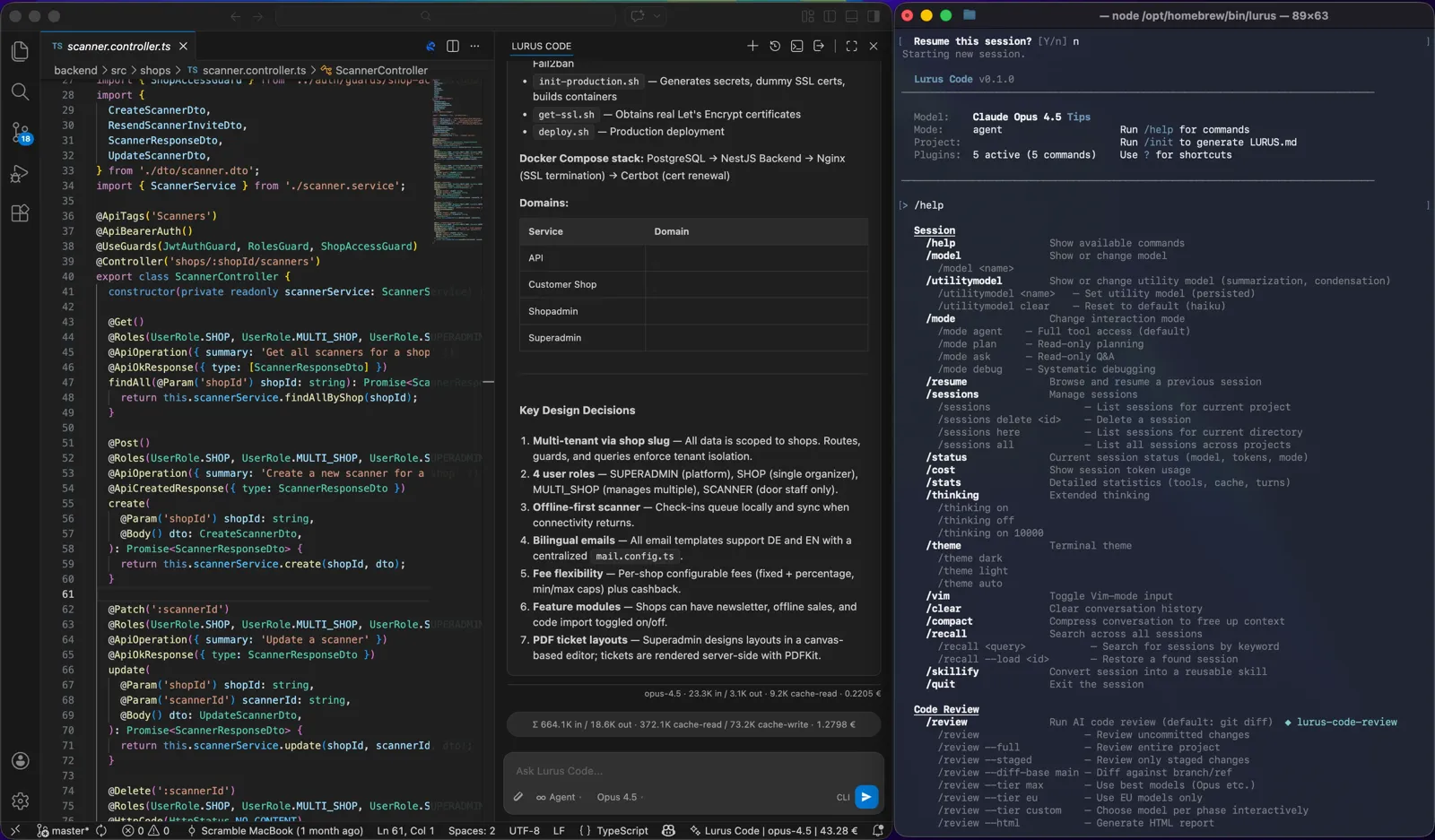
Lurus Code in VS Code with an open project and coding chat
Real product capture: Lurus Code in VS Code.

Windsurf is known for an integrated editor with Cascade and Tab suggestions. Current provider sources now use Devin Desktop and describe local and cloud agents.

Product naming note: the linked Windsurf pricing and documentation pages now refer to Devin/Devin Desktop. The established comparison URL remains; older Windsurf terms are not presented as unchanged.

Switch models. Keep your workflow.

Let the task set the direction.

Windsurf offers multiple models too. Lurus connects that choice to your VS Code/CLI workflow and central model access controls for teams.

Review the model catalog and costs

Multiple providers. Your workflow.

Selection follows the current model catalog. Availability and costs depend on your plan and credit.

  1. Choose

    Select a model from the current catalog.

  2. Work

    Connect context, implementation and review in your workflow.

  3. Control

    Set model access and member budgets for your team.

Not just answers. Work on your project.

From the first idea to a reviewable diff.

Lurus connects context, planning, changes and verification in your development workflow. You set the direction and review the result.

01 / In your editor

Your project. Not a new window without context.

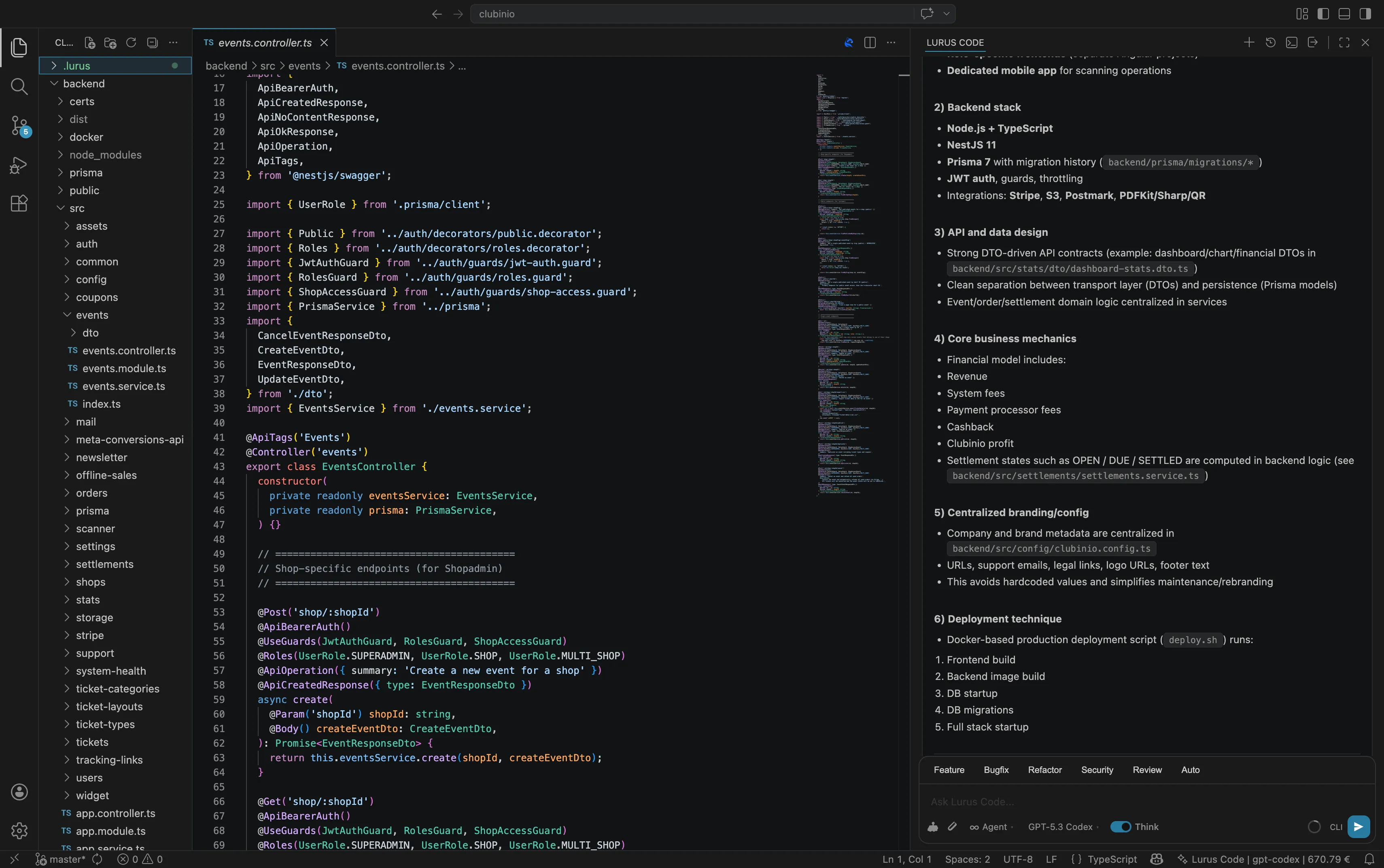
Work with Lurus in VS Code: use files and selections as context, describe a change and let the agent work on your project. Inline Edit helps with focused adjustments.

Explore the workflow
VS Code with open project files and Lurus Code in the sidebar

03 / Before the merge

Don't stop at generated code.

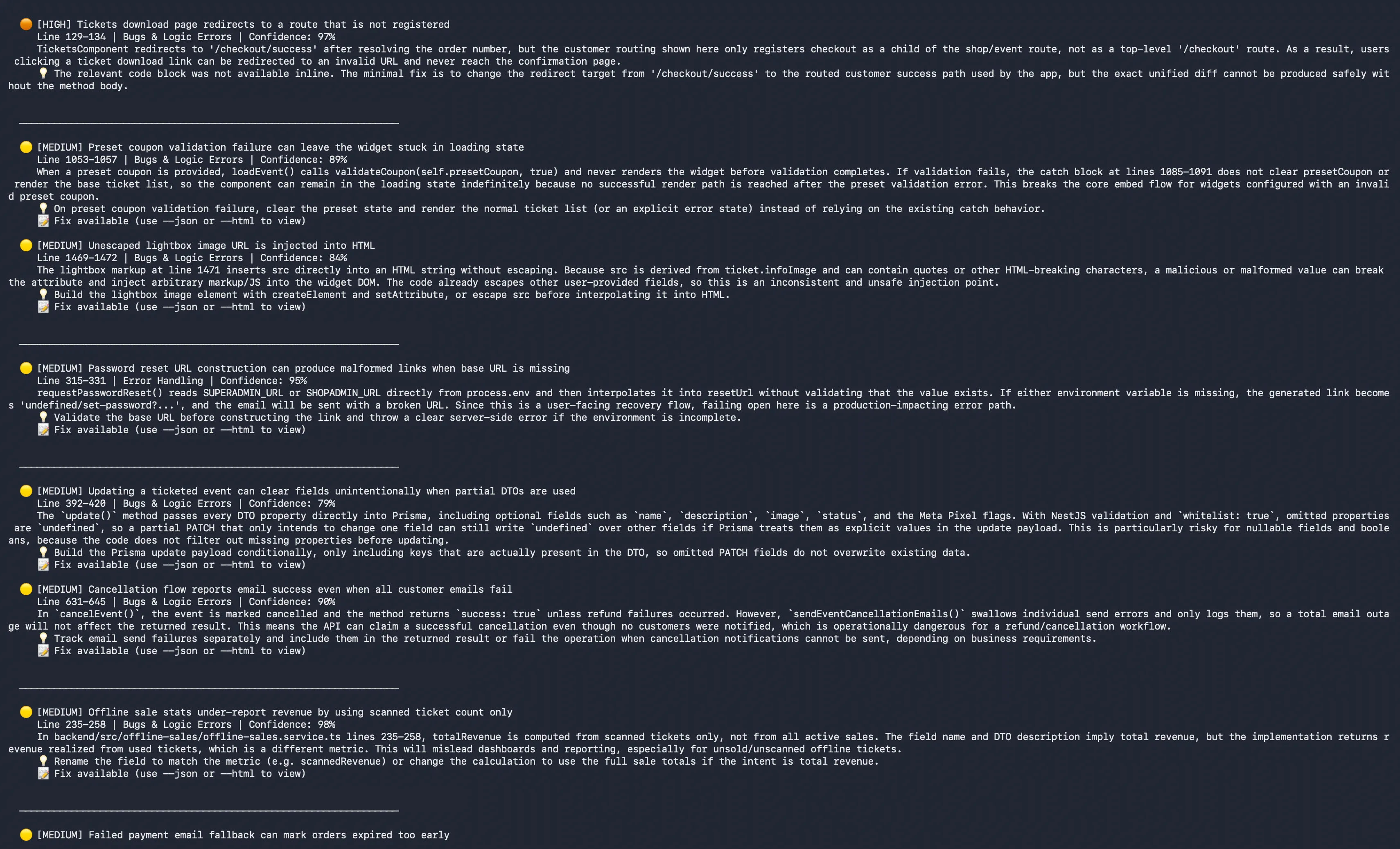
Inspect changes with the code review workflow. Use findings as a starting point for improvements and review the final diff yourself – an agent does not replace approval.

Explore the workflow
Lurus Code with a code review report and its project
Code review in Lurus Code with a visible review report.

Product captures show example projects. Features depend on your plan. Multi-agent orchestration requires Ultra and available credit; tests and human review remain necessary.

The right alternative for you

Choose your workflow. Not just a logo.

Lurus Code

Lurus Code fits when …

  • You want to extend your existing VS Code/CLI workflow.
  • You want to connect coding and review in a Lurus workflow.
  • You want documented data paths and central team credit rather than extra seat base fees.

Windsurf

The other approach fits when …

  • You want an integrated editor with Tab suggestions and Cascade.
  • You use the current Devin Desktop/cloud offerings and integrations.
  • You want to evaluate its documented enterprise deployment and identity options.

The direct comparison

What actually makes a difference.

No benchmark and no winner scoring. This compares documented product approaches; availability and limits may vary by plan, model and surface.

Environment

Lurus Code
Coding agent in VS Code and the terminal. No separate editor required.
Windsurf
Integrated editor; current docs describe Devin Desktop with local agents and additional CLI/cloud offerings.

Agentic work

Lurus Code
Research context, plan, change multiple files and run tests. Review and security workflows complement the work; orchestration requires Ultra.
Windsurf
Cascade with multi-file changes, planning, terminal, web search and MCP; other local/cloud agents in the current offering.

Model choice

Lurus Code
Multiple model providers in the current catalog. Selection and usage depend on your plan and credit.
Windsurf
Multiple model providers. Selection and usage quotas depend on the current plan.

Inline suggestions

Lurus Code
Focused on task-based coding and Inline Edit with an explicit instruction. Not a dedicated Tab completion service.
Windsurf
Specialized Tab suggestions and inline edits in the editor.

Cost model

Lurus Code
Individual subscriptions with plan-dependent usage. Team has no seat or team base fee; actual usage is paid from a shared balance.
Windsurf
Current Devin pricing: individual subscriptions/quotas and possible extra usage; team base price plus full developer seats.

Team management

Lurus Code
Admin/Member roles, shared credit, monthly member budgets and central model access. No SSO/SCIM offering promised here.
Windsurf
Team billing and analytics; SAML/OIDC SSO, central enterprise controls and deployment options in Enterprise.

Work together. Keep usage intentional.

More teammates. No extra seat fees.

€0access fee per team member

No seat or team base fee on the Team model. You pay for actual model and AI feature usage from a shared balance. Admins manage monthly member budgets and model access.

Lurus pricing and terms

€0 does not mean free AI usage. Individual plans have their own subscriptions and limits. Converting an account to Team is permanent; it cannot return to individual plans.

Windsurf

The other product's cost model

The Windsurf pricing URL currently shows Devin plans with usage quotas, extra consumption, and team base and seat components. Older Windsurf credit tables do not reliably describe this offering; review your specific agreement.

Current provider pricing

Your code stays yours

Privacy belongs in the workflow. Not in the fine print.

Lurus documents Zero Data Retention for source code and request context, and no model training. The contracting party is in Germany. Processing regions are disclosed per model route – not every route is EU-only.

Windsurf

The other product's privacy terms

The current Security URL covers Cognition/Devin: paid plans can disable training and enable provider ZDR; Enterprise training needs explicit consent. Product storage and provider retention must be checked separately. This is not a blanket guarantee for every older Windsurf agreement.

Read the provider documentation

One more question before switching?

Why does this Windsurf page mention Devin?

The official Windsurf pricing, Cascade and Security URLs now use Devin or Devin Desktop at the time of our source review. We keep the familiar comparison path and flag the changed scope rather than carry forward unchecked product and price claims.

Can I switch between model providers?

Lurus offers models from different providers in one workflow. Selection and cost depend on the current catalog, your plan and available credit. Team admins can restrict allowed models. Cursor, Copilot, Windsurf and Cline also offer multiple models – that alone is not a unique advantage.

Is Lurus Code free?

Not generally. Pro, Pro+ and Ultra offer a one-week trial followed by a paid subscription unless you cancel in time. The Team model has no seat or team base fee; actual AI usage is paid from the shared balance. Conversion to Team is permanent.

Does my source code stay on my computer?

Not exclusively: the context needed for AI processing is transmitted. Lurus documents Zero Data Retention and no model training for this data. Providers and processing regions are disclosed per route. Review the Security page, privacy policy and DPA for the precise scope.

Are the results automatically production-ready?

No. AI agents can make mistakes. Inspect changes, run appropriate tests and retain your review and approval processes. This comparison does not claim measured superiority in speed or code quality.

Checkable, not sweeping

A fair comparison needs sources.

An editorial comparison by Lurus Code using official provider sources. Not an independent performance test. Prices, names, features and privacy terms may change; the linked provider information is authoritative.

Sources reviewed on:

Your next feature is the best comparison.

Take a real task from your project. Let Lurus work on it. Evaluate the diff, the tests and your workflow – not just a promise.

One free week for Pro, Pro+ and Ultra. Paid subscription afterwards unless you cancel beforehand. Usage and features depend on your plan and credit.

A deliberate choice

Before your first prompt.

Interactive demo
Lurus Codeprivacy-demo · illustrative workspace

Demo session ready. Your model choice and data route are separate decisions.

Illustrative scenario. No real sign-in, security test or code transmission takes place.

Image preview