
Commit
A message grounded in the diff.
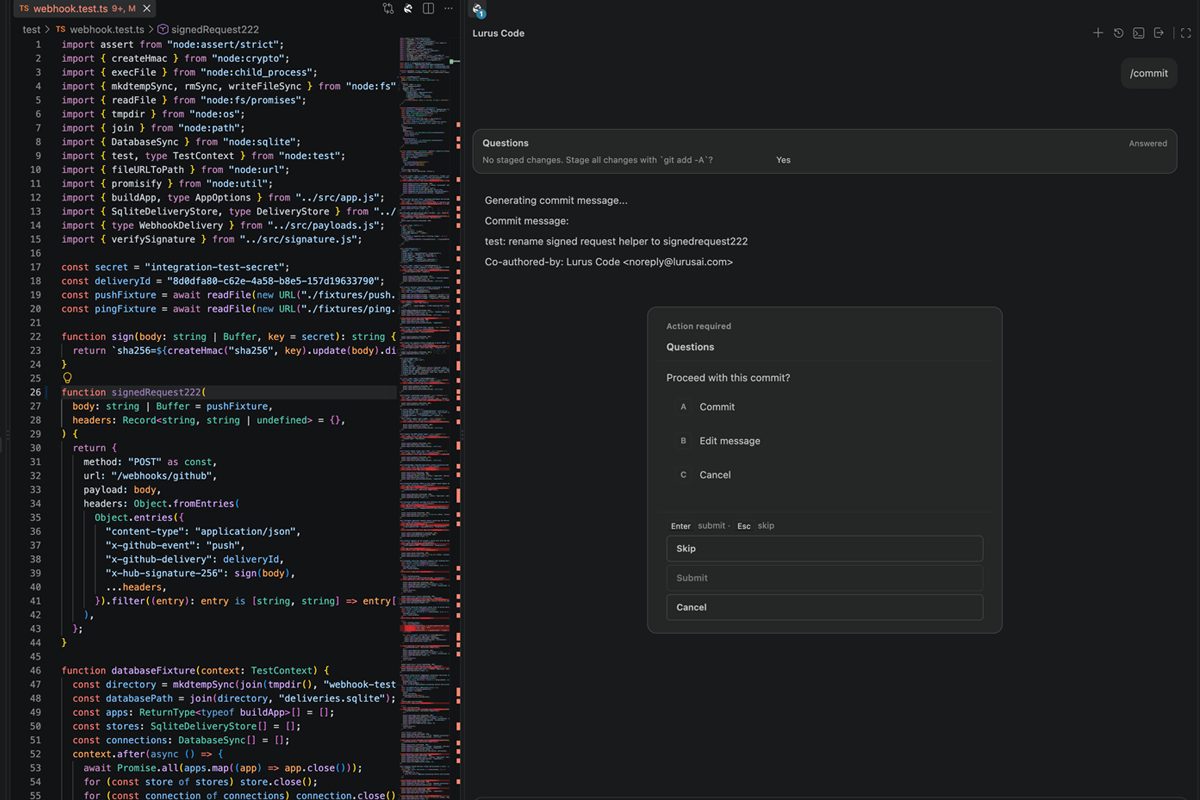
/commit reads staged changes and generates a message. Review, edit or decline it before committing – the explanation should match the change.
Your code is never stored. GDPR-compliant processing with immediate data deletion.
View our security standardsGit & GitHub
An issue, a branch diff, a commit message and review comments should not be four disconnected tasks. Bring them into the project workflow – and keep the decisions visible.
GitHub workflows require GitHub CLI (gh), authentication and the appropriate repository permissions. Run slash commands inside Lurus Code chat.
The path of a change
From project context to a handoff
Commit
/commit reads staged changes and generates a message. Review, edit or decline it before committing – the explanation should match the change.
Pull request
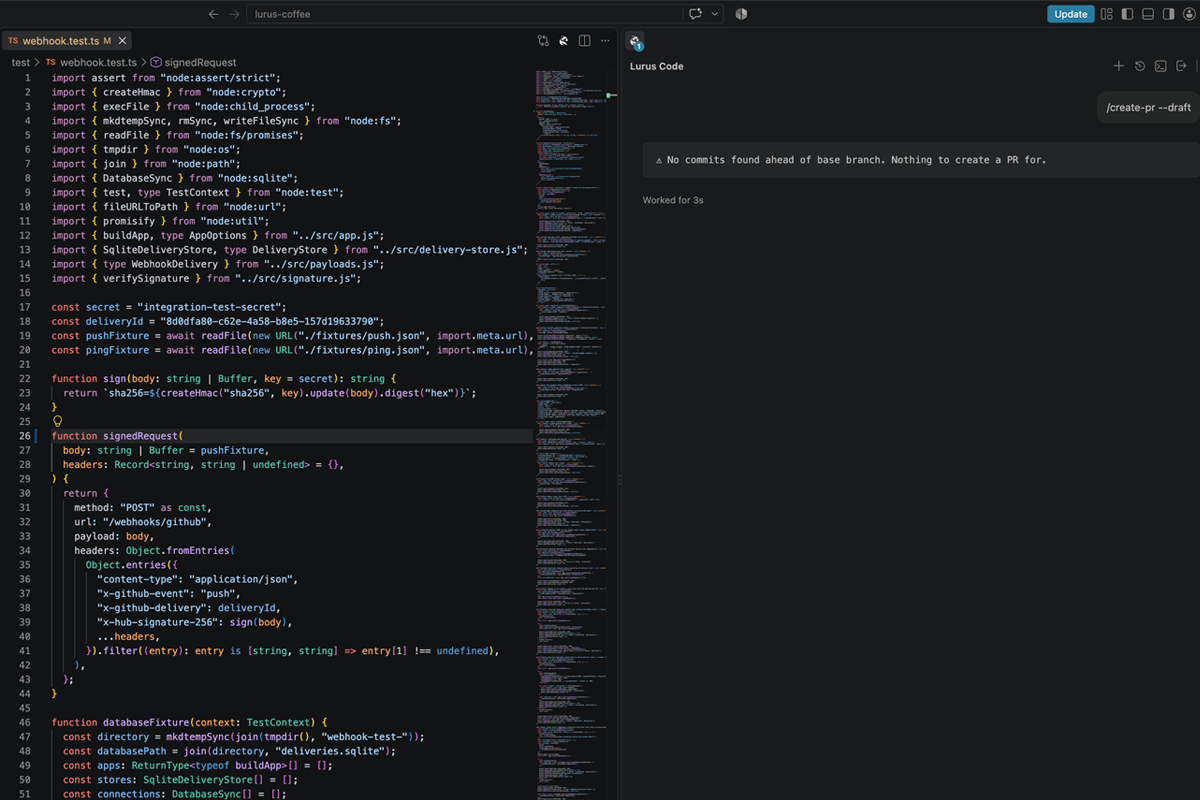
/create-pr uses your branch commits and diff to prepare a title and description. Use --draft when the change needs another look before review.
The work continues after the first diff
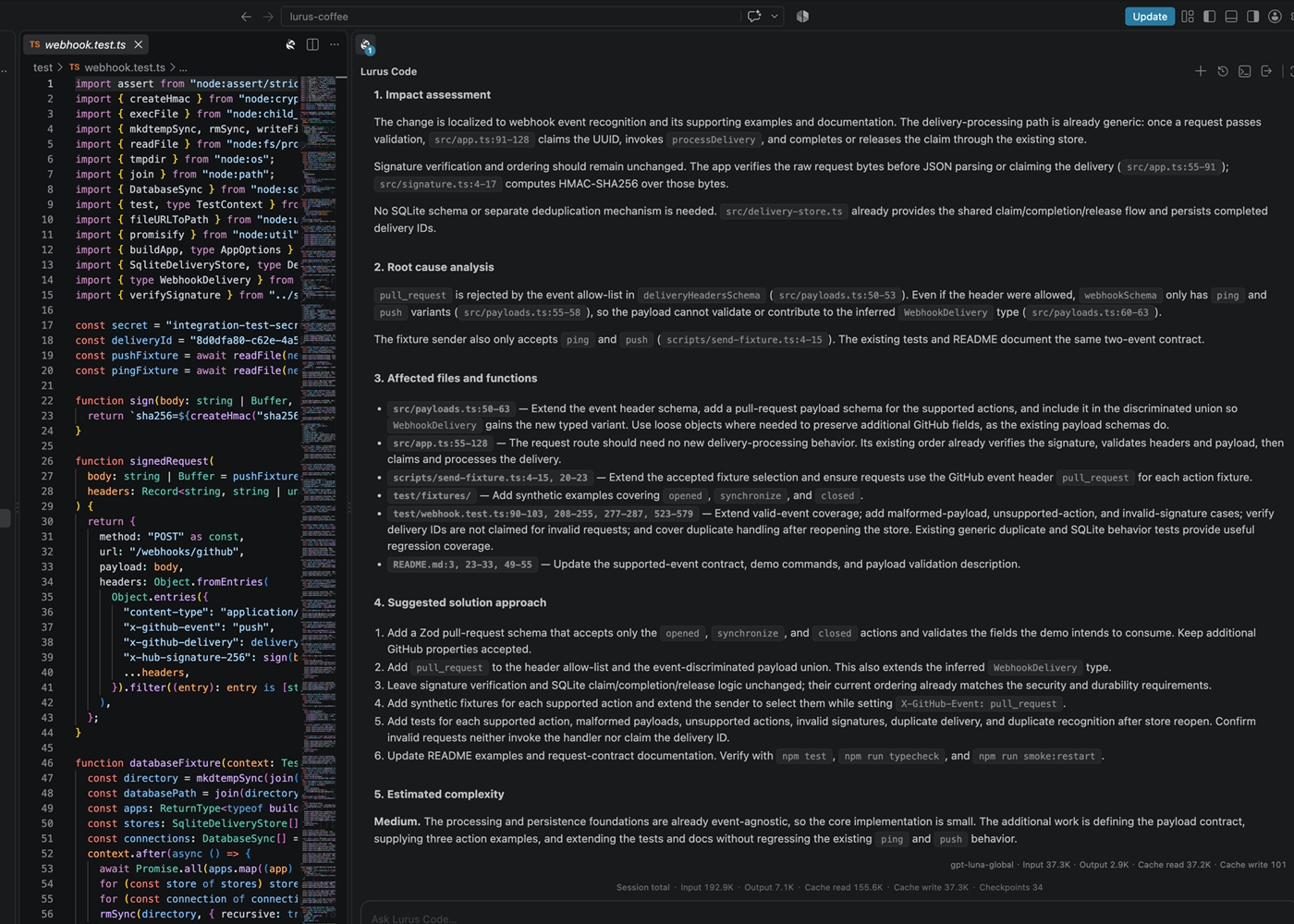
/analyze-issue 42 /analyze-issue reads an issue and asks for an analysis of the cause, affected code and a possible approach, without requesting source edits.
/fix-issue 42 /fix-issue loads the issue, prepares a fix branch and hands the implementation task to the agent. Inspect and test the result.
/fix-pr /fix-pr brings open comments on the current PR into the agent workflow. Check that the resulting changes address the intended feedback.
Start with a real issue or a small staged change.
For Pro, Pro+ and Ultra. Paid subscription after the trial unless you cancel beforehand. Usage and features depend on your plan and credit.
AI-generated fixes and descriptions need review. GitHub commands can create branches and publish pull requests; use them intentionally.
/analyze-issue 42/commit/create-pr --draftSource code and request context are processed with Zero Data Retention. No use for model training. Providers and processing regions are disclosed transparently.
See privacy and processing detailsGit & GitHub
Try the workflow in your repository. Begin with issue analysis or a small diff before handing over a larger change.
For Pro, Pro+ and Ultra. Paid subscription after the trial unless you cancel beforehand. Usage and features depend on your plan and credit.
Want to start with your team? Talk to us.Lura is the language model adapted by Lurus for coding tasks. It uses separate Lura credits provided in addition to your regular model credits.
