




02 / In the terminal too
The same flow. No mouse required.
Start Lurus in your project directory. Research, plan or implement directly in the terminal and use your existing development tools for verification.
Explore the workflow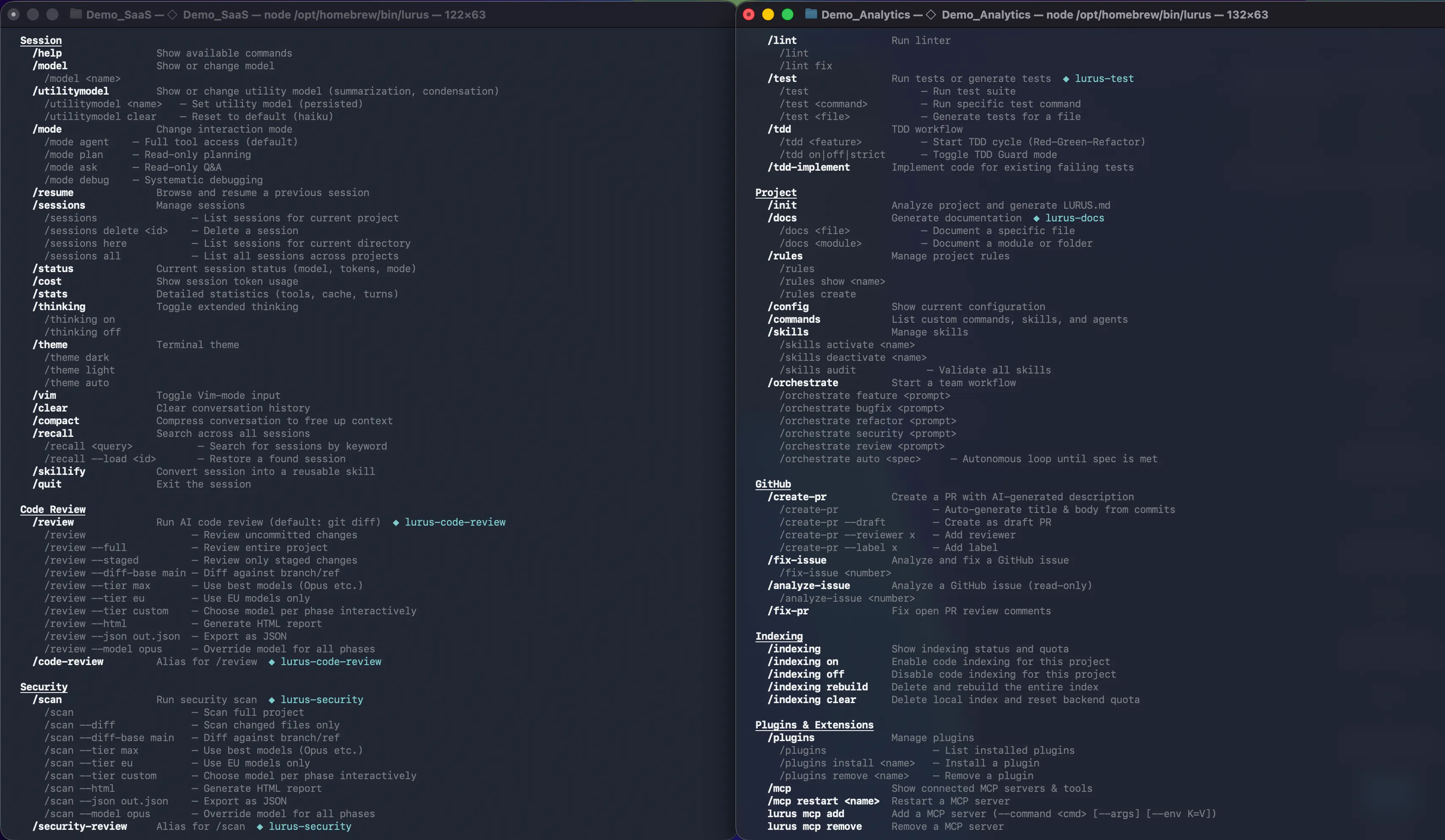
Your code is never stored. GDPR-compliant processing with immediate data deletion.
View our security standardsLurus Code vs Cline
You want to use multiple models without organizing every team setup separately. Lurus connects coding, review, documented data paths and shared usage credit in one platform.
One free week for Pro, Pro+ and Ultra. Paid subscription afterwards unless you cancel beforehand. Usage and features depend on your plan and credit.

Cline is an open-source agent with IDE, CLI, multiple providers, BYOK and local model options. Lurus is a managed offering with its own workflow, shared team credit and German contracting – not the only multi-model or no-seat option.
Model freedom needs a framework
Cline offers open source, BYOK and local models. Lurus takes a managed approach: shared credit, member budgets and central model access.
Explore team managementMultiple providers. Your workflow.
Selection follows the current model catalog. Availability and costs depend on your plan and credit.
Pay for actual AI usage from a shared balance.
Set monthly budgets for each member.
Decide centrally which models the team may use.
Not just answers. Work on your project.
Lurus connects context, planning, changes and verification in your development workflow. You set the direction and review the result.
Choose a view or bring the back image forward.
02 / In the terminal too
Start Lurus in your project directory. Research, plan or implement directly in the terminal and use your existing development tools for verification.
Explore the workflow 03 / Before the merge
Inspect changes with the code review workflow. Use findings as a starting point for improvements and review the final diff yourself – an agent does not replace approval.
Explore the workflow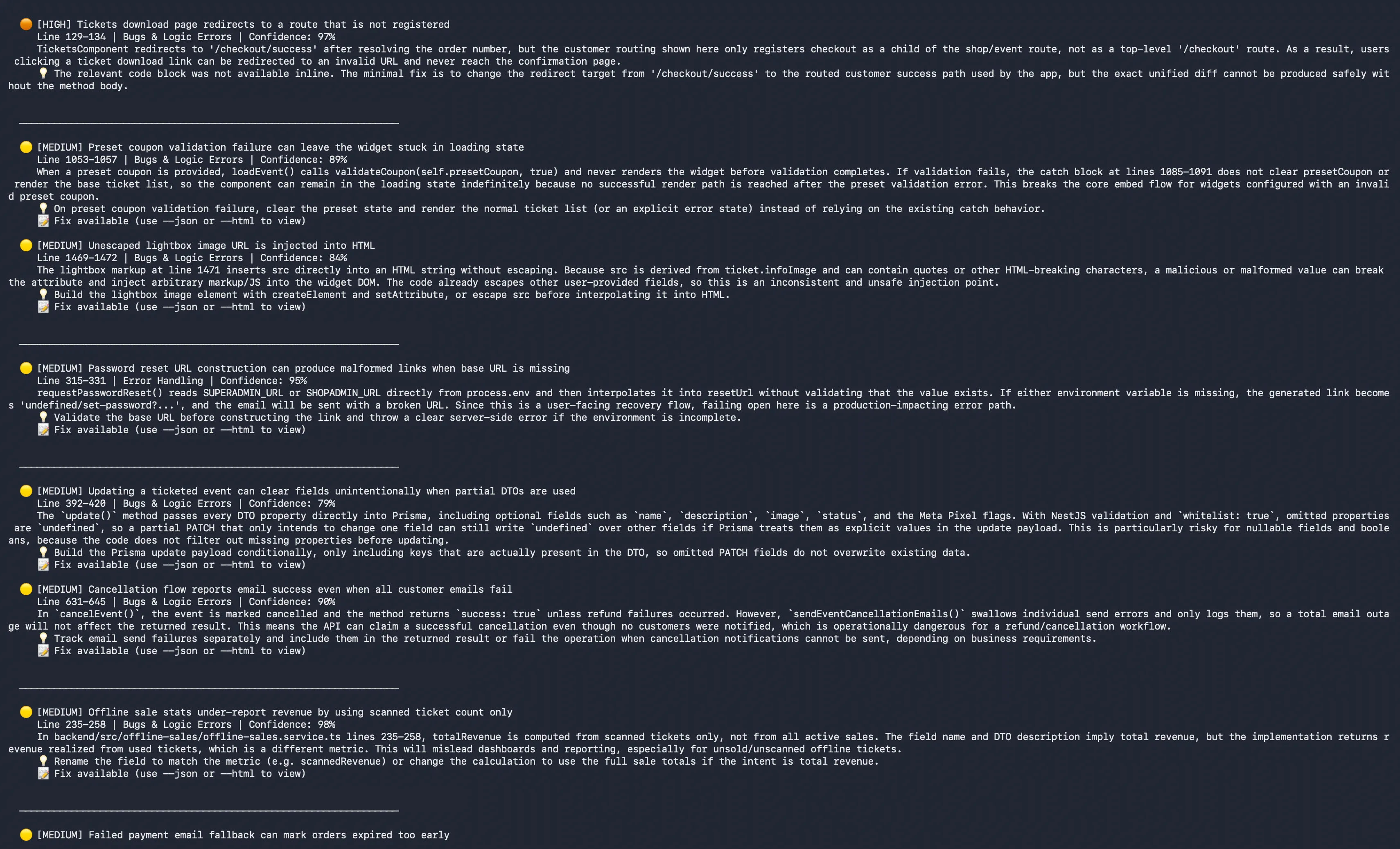
Product captures show example projects. Features depend on your plan. Multi-agent orchestration requires Ultra and available credit; tests and human review remain necessary.
The right alternative for you
Lurus Code
Cline
The direct comparison
No benchmark and no winner scoring. This compares documented product approaches; availability and limits may vary by plan, model and surface.
Work together. Keep usage intentional.
No seat or team base fee on the Team model. You pay for actual model and AI feature usage from a shared balance. Admins manage monthly member budgets and model access.
Lurus pricing and terms€0 does not mean free AI usage. Individual plans have their own subscriptions and limits. Converting an account to Team is permanent; it cannot return to individual plans.
Cline
Cline's open-source version also has no seat fee; model inference is paid. BYOK, the Cline provider and optional offerings have different terms. Enterprise is custom. €0 seats are not an exclusive Lurus advantage over Cline.
Current provider pricingYour code stays yours
Lurus documents Zero Data Retention for source code and request context, and no model training. The contracting party is in Germany. Processing regions are disclosed per model route – not every route is EU-only.
Cline
With Cline, data paths, training and retention depend on the selected provider, local model and service. Open source or local execution of the agent does not automatically keep cloud model requests local. Review the provider agreement, telemetry and enterprise configuration.
Read the provider documentationYes. Cline supports different providers, BYOK, local models and Enterprise team management. The relevant difference is your chosen Cline/provider setup versus the managed Lurus workflow with shared credit, contracting party and documented data paths.
Lurus offers models from different providers in one workflow. Selection and cost depend on the current catalog, your plan and available credit. Team admins can restrict allowed models. Cursor, Copilot, Windsurf and Cline also offer multiple models – that alone is not a unique advantage.
Not generally. Pro, Pro+ and Ultra offer a one-week trial followed by a paid subscription unless you cancel in time. The Team model has no seat or team base fee; actual AI usage is paid from the shared balance. Conversion to Team is permanent.
Not exclusively: the context needed for AI processing is transmitted. Lurus documents Zero Data Retention and no model training for this data. Providers and processing regions are disclosed per route. Review the Security page, privacy policy and DPA for the precise scope.
No. AI agents can make mistakes. Inspect changes, run appropriate tests and retain your review and approval processes. This comparison does not claim measured superiority in speed or code quality.
Checkable, not sweeping
An editorial comparison by Lurus Code using official provider sources. Not an independent performance test. Prices, names, features and privacy terms may change; the linked provider information is authoritative.
Sources reviewed on:
Take a real task from your project. Let Lurus work on it. Evaluate the diff, the tests and your workflow – not just a promise.
One free week for Pro, Pro+ and Ultra. Paid subscription afterwards unless you cancel beforehand. Usage and features depend on your plan and credit.
Lura is the language model adapted by Lurus for coding tasks. It uses separate Lura credits provided in addition to your regular model credits.