Your code is never stored. Processing exclusively in EU data centers. GDPR-compliant.
View our security standardsLurus Code CLI
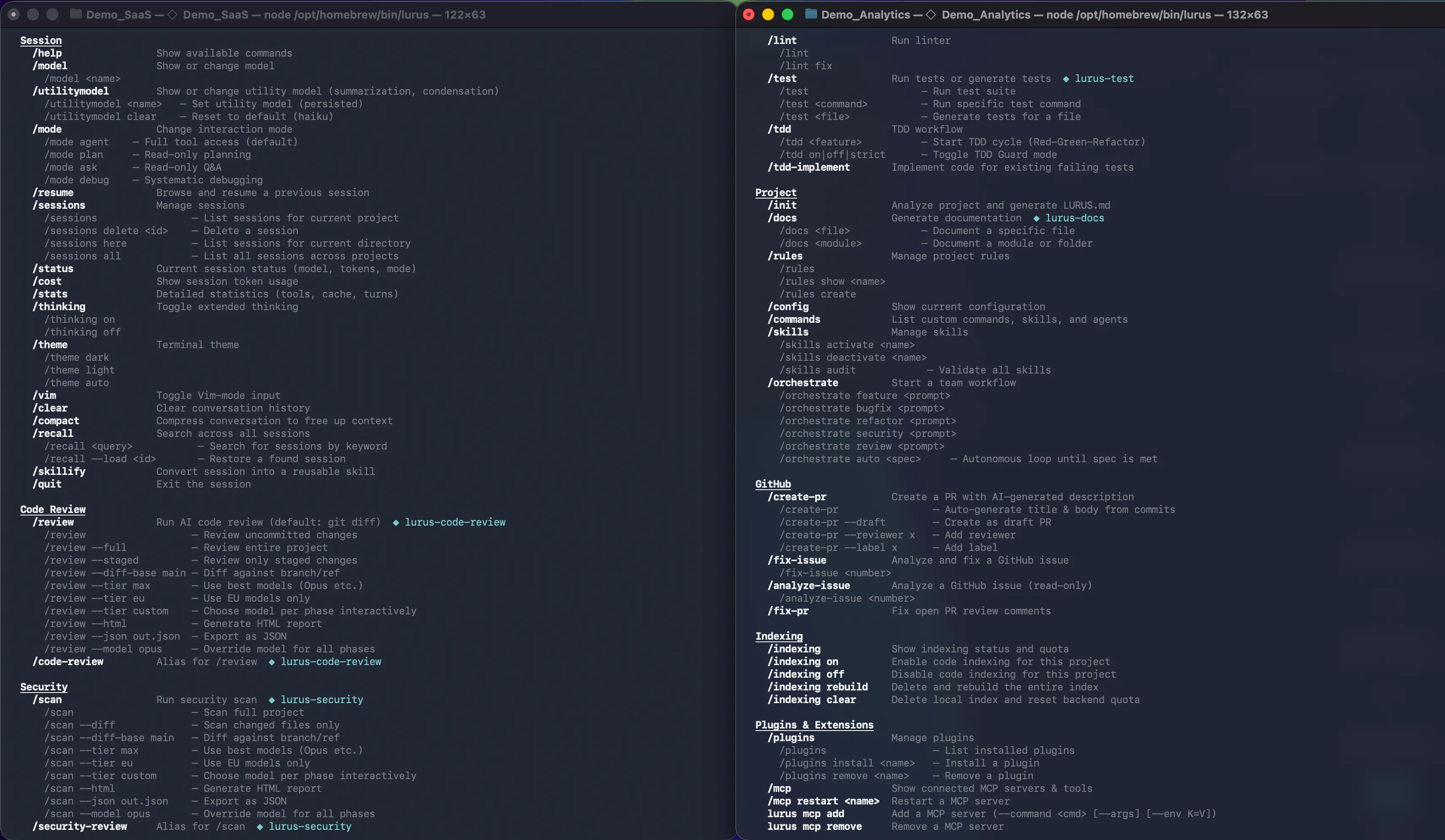
Full AI coding agent in your terminal. Interactive chat, batch processing, CI security scans, code review automation, and shell completions. GDPR-compliant, EU-hosted.
Interactive Chat
Start a session with `lurus chat` and work with the AI right in the terminal.
Batch Processing
Run many tasks with `lurus batch`, ideal for scripts and pipelines.
CI Security
Integrate security scans with `security-ci` into your build and release pipelines.
CI Code Review
Automated reviews with `code-review-ci` for pull requests and merge queues.
Shell Completions
Tab completion for bash, zsh, and fish, navigate faster and type less.
Plugin Management
Install and manage extensions with `lurus plugin`, wired into the ecosystem.
Get Started in 60 Seconds
Install the CLI globally via npm, authenticate once, and start your first AI coding session immediately.
# Install globally
npm install -g @scramble-cloud/lurus-code-cli

# Authenticate (browser, email, or API key)
lurus login

# Start interactive session
lurus chat

# Or send a single prompt without opening a session
lurus "Explain the architecture of this project"

# Continue last session for this project
lurus chat --continue
Batch Processing
Process multiple AI tasks from a file sequentially — perfect for scripted workflows, documentation generation, or automated refactoring across a codebase.
Example Prompt File
# Prompt file (prompts.txt)
# Separate prompts with ---

Analyze src/auth.service.ts and explain the authentication flow

---

Write unit tests for UserService

---

Generate a README for the api/ module
Commands
lurus batch prompts.txt Run all prompts sequentially lurus batch prompts.txt -o json JSON output with token counts lurus batch prompts.txt --continue-on-error Skip failed prompts and continue lurus batch prompts.txt -m haiku Use a faster model for simple tasks CI/CD Integration
Two dedicated headless commands for CI pipelines: security-ci and code-review-ci. Both return standard exit codes and support GitHub Actions output variables.
- name: AI Security Scan
  run: lurus security-ci --diff --fail-on high --format sarif
  env:
GITHUB_TOKEN: ${{ secrets.GITHUB_TOKEN }} - name: AI Code Review
run: lurus code-review-ci --pr-comments --verdict --fail-on high
env:
GITHUB_TOKEN: ${{ secrets.GITHUB_TOKEN }} Shell Tab Completions
Enable Tab completion for all lurus commands, subcommands, and flags in your preferred shell.
echo 'eval "$(lurus completions bash)"' >> ~/.bashrc echo 'eval "$(lurus completions zsh)"' >> ~/.zshrc lurus completions fish > ~/.config/fish/completions/lurus.fish Permission Modes
Control how much autonomy the agent has. All modes can be set per session or persisted in your project configuration.
| Mode | Behavior | Use Case |
|---|---|---|
default | Prompts for confirmation before every tool use | Day-to-day development |
acceptEdits | Auto-approves file edits, prompts for shell commands | Trusting the agent with code changes |
plan | Read-only — no file writes or shell commands | Architecture analysis, code exploration |
bypassPermissions | Grants all permissions automatically | CI/CD pipelines only (use with --dangerously-skip-permissions) |
Ready to code smarter?
Join the waitlist and use the Lurus Code CLI with every command and integration.
Get started