Your code is never stored. Processing exclusively in EU data centers. GDPR-compliant.
View our security standardsAI Power for Visual Studio Code
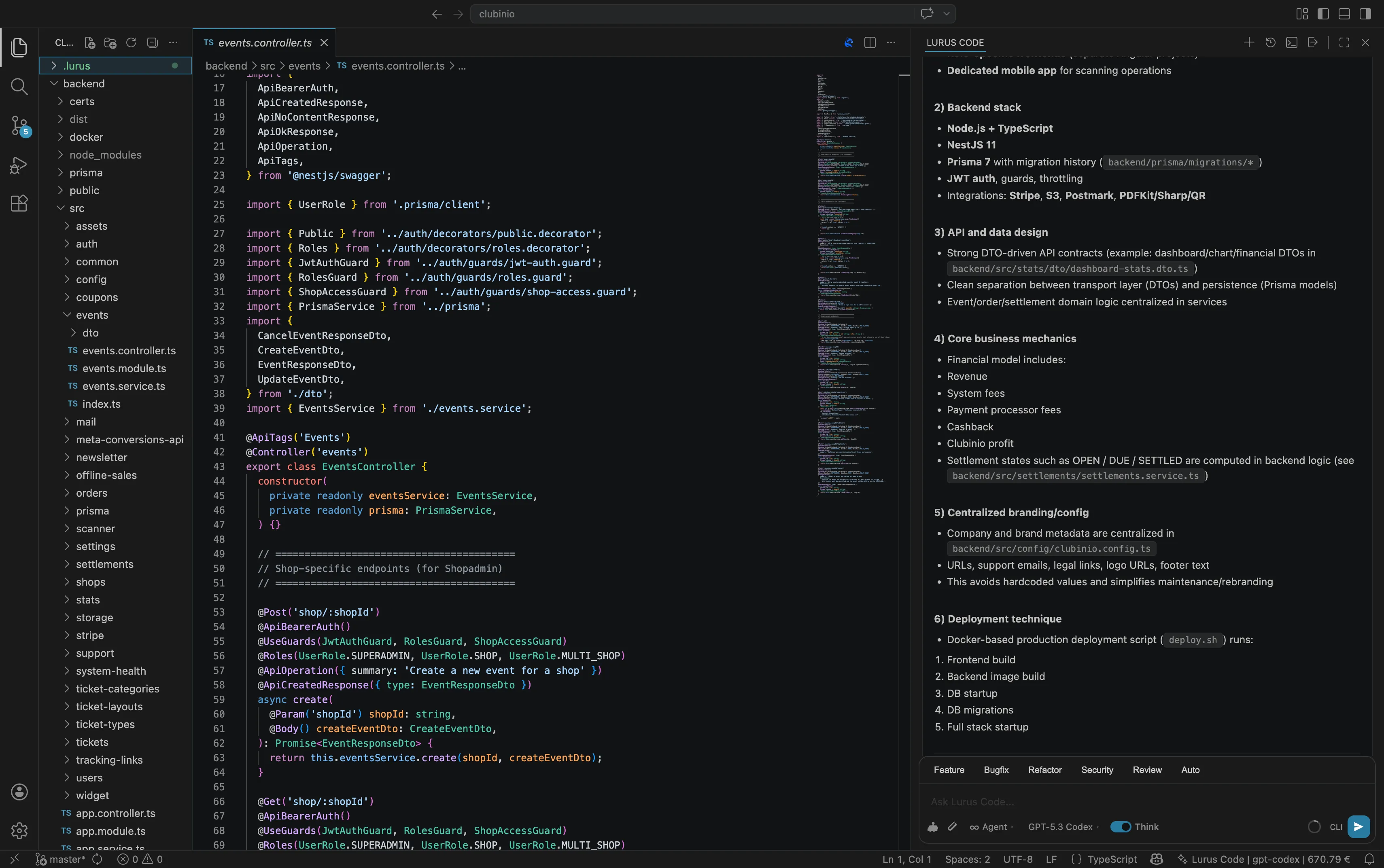
Chat panel in the sidebar, inline editing with Cmd+Shift+E, security diagnostics and MCP server - all seamlessly integrated into VS Code.
Everything You Need in VS Code
The Lurus Code VS Code extension brings full AI power directly into your editor.
Chat Panel
AI assistant in the sidebar
Open the Lurus Code panel in the secondary sidebar and chat directly with the AI. Ask questions about your code, get explanations, or generate new functions - all without leaving VS Code.
- Secondary sidebar integration
- Streaming responses with Markdown
- Code highlighting & syntax
- Tool execution visible
- Session history & resume
- Model selection (Sonnet, Opus, GPT, Gemini)
Inline Editing
Select code and transform
Select any code, press Cmd+L (Mac) or Ctrl+L (Windows/Linux) and describe what the AI should do with it. Refactoring, optimization, documentation - all with one shortcut.
- Keyboard shortcut (Cmd+L)
- Context menu integration
- Natural language
- Automatic Edit tool usage
- Line range detection
- Terminal execution
MCP Server
Bidirectional IDE communication
The extension starts a local MCP server (Model Context Protocol) that connects the CLI with VS Code. The AI can open files, retrieve diagnostics, show diffs, and read editor state.
- JSON-RPC 2.0 protocol
- Bearer token auth
- getDiagnostics tool
- getOpenFiles tool
- openFile tool
- openDiff tool
- runTerminalCommand tool
Security Diagnostics
Security issues in Problems panel
After a security scan, all found vulnerabilities are displayed as VS Code diagnostics. With severity level, CWE IDs and detailed descriptions - right in the Problems panel.
- Problems panel integration
- Severity-based icons
- CWE ID display
- Quick-fix code actions
- Inline highlighting
- Patch suggestions
Diff Preview
Review changes before saving
When the AI modifies a file, a diff view opens automatically in VS Code. You can review what changed, accept with the button in the chat panel or Cmd+S, or undo the change directly from the chat panel.
- Automatic diff on file change
- Accept via chat panel button
- Undo via chat panel button
- Accept with Cmd+S
- Syntax highlighting
- Automatic opening
Session Management
Save and resume conversations
All your chats are automatically saved. Open the session list, search by keywords and resume any conversation - even across VS Code restarts.
- Automatic saving
- Session search
- Delete sessions
- Token statistics
- Model info
- CLI/VS Code source
Four Modes for Every Situation
Choose the right mode for your current task. Agent for full autonomy, Plan for analysis, Ask for quick questions.
Available Models
+ more models via /model command
{
  "jsonrpc": "2.0",
  "method": "tools/call",
  "params": {
    "name": "openDiff",
    "arguments": {
      "filePath": "/src/utils.ts",
      "newContent": "// Updated code...",
      "originalContent": "// Original..."
    }
  },
  "id": 1
}✓ Diff opened for /src/utils.ts
Press Cmd+S to accept
Press Escape to rejectMCP Server for Seamless Integration
The extension automatically starts a local MCP server that connects the Lurus Code CLI with VS Code. The AI gets access to IDE-specific information and can perform actions in the editor.
In 2 Minutes Ready to Go
Install Extension
Open VS Code Extensions (Cmd+Shift+X) and search for "Lurus Code"
Install CLI
Install the Lurus Code CLI globally via npm
Login
Authenticate with your Lurus Code account
Start Coding!
Open the Lurus Code panel with Cmd+Shift+L and start chatting
Configuration
Customize the extension to your needs
{
  // Default AI model
  "lurus-code.model": "sonnet",

  // Interaction mode (agent, plan, ask)
  "lurus-code.mode": "agent",

  // Enable code indexing (RAG)
  "lurus-code.indexing.enabled": true,

  // Auto-run linter after AI changes
  "lurus-code.autoLint": false,

  // Auto-run tests after AI changes
  "lurus-code.autoTest": false,

  // Permission mode
  "lurus-code.permissionMode": "default",

  // Show status bar item
  "lurus-code.statusBar.enabled": true
}
Ready for AI-Powered Coding?
Install the Lurus Code VS Code extension and experience the future of software development.