Your code is never stored. Processing exclusively in EU data centers. GDPR-compliant.
View our security standardsSession Management
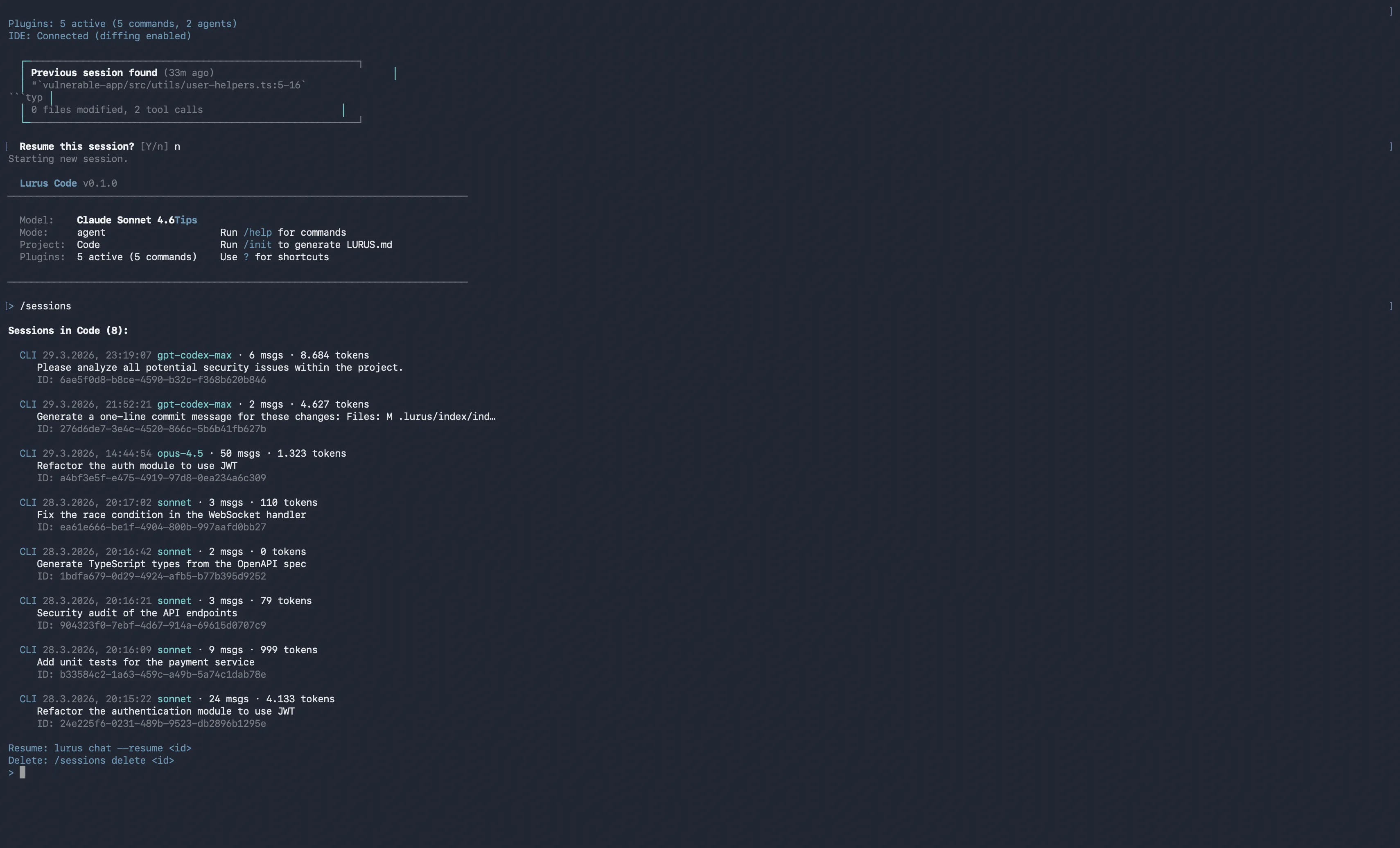
Your work is never lost. Lurus Code automatically saves every session, learns from mistakes and enables seamless resume — even after weeks.
Session Features
Everything you need for productive work across sessions.
Persistent Sessions
Auto-save after every turn
Every interaction is automatically saved. Encrypted with your personal vault key. Close the terminal - your work is safe.
- Auto-save after 2 seconds
- AES-256 encryption
- Graceful shutdown
- Index for fast access
Seamless Resume
Pick up exactly where you left off
Start Lurus Code and it automatically detects your last session. Resume with one keystroke - including context, model and files.
- Automatic detection
- lurus --continue
- lurus --resume <id>
- /resume slash command
- Session preview
Session Memory
Structured knowledge across sessions
After each session, a memory document is created: current state, modified files, errors and solutions. This knowledge is automatically loaded in the next session.
- Structured template
- Current state tracking
- Files & functions
- Errors & corrections
- Worklog
- Key results
Lessons Learned
Learn from mistakes - automatically
Lurus Code remembers errors and their solutions. When a similar error occurs, the known solution is proactively suggested. The system gets smarter with every session.
- Pattern recognition
- Error categorization
- Resolution tracking
- Proactive warnings
- Project-specific
- Max. 100 lessons
Session Search
Find any past conversation
Use /recall to search all past sessions by keyword. Find code snippets, solutions or discussions - even months later.
- /recall <query>
- Title search
- Full-text search
- Recency scoring
- /recall --load <id>
- Snippet preview
Session Metadata
Everything at a glance
Every session stores detailed metadata: modified files, tool calls, errors, token usage. Perfect for audits and traceability.
- Files modified/read
- Tool call counter
- Error log
- Token statistics
- Timestamps
- Project path
CLI Commands
All session management commands at a glance.
lurus --continue Continue last session lurus --resume <id> Load specific session by ID /resume List sessions and show IDs for resume /sessions Sessions for current project /sessions all Show all sessions across projects /sessions here Sessions in current directory /sessions delete <id> Delete a session by ID /recall <query> Search across all sessions /recall --load <id> Restore a session into context /rewind chat Undo last messages from conversation /rewind code Revert files to last checkpoint /save [path] Export session as Markdown file /clear Clear conversation history /status Current session status /cost Show token usage /stats Detailed statistics /compact Compress conversation context How It Works
From first command to seamless continuation.
Start Session
Every lurus command automatically creates a new session.
Auto-Save
After every turn, the session is automatically saved.
Create Memory
At session end, a structured memory document is created.
Resume
On next start, the session is detected and can be resumed.
Ready to revolutionize your development?
Thousands of developers already trust Lurus Code. Get started today.