Your code is never stored. Processing exclusively in EU data centers. GDPR-compliant.
View our security standardsMulti-Agent Orchestration
Autonomous multi-agent coding. Plan mode creates implementation plans, Auto mode executes with built-in QA.
Two orchestration modes
Choose how much autonomy the orchestrator gets — from pure planning to full autonomous execution.
Planner
Read-onlyThe orchestrator creates a detailed, structured implementation plan without modifying any files. Three specialized agents work in sequence: an Analyst explores the codebase, an Architect drafts the plan with todos, and a Critic reviews and improves it.
/orchestrate plan Build a REST API with JWT auth .lurus/plans/ Auto
Full executionThe orchestrator runs a full autonomous loop: a Planner breaks the task into subtasks, Executor agents implement each one, and a QA agent verifies the result. The loop repeats until all subtasks are complete or the cost limit is reached.
/orchestrate auto Build a REST API with JWT auth 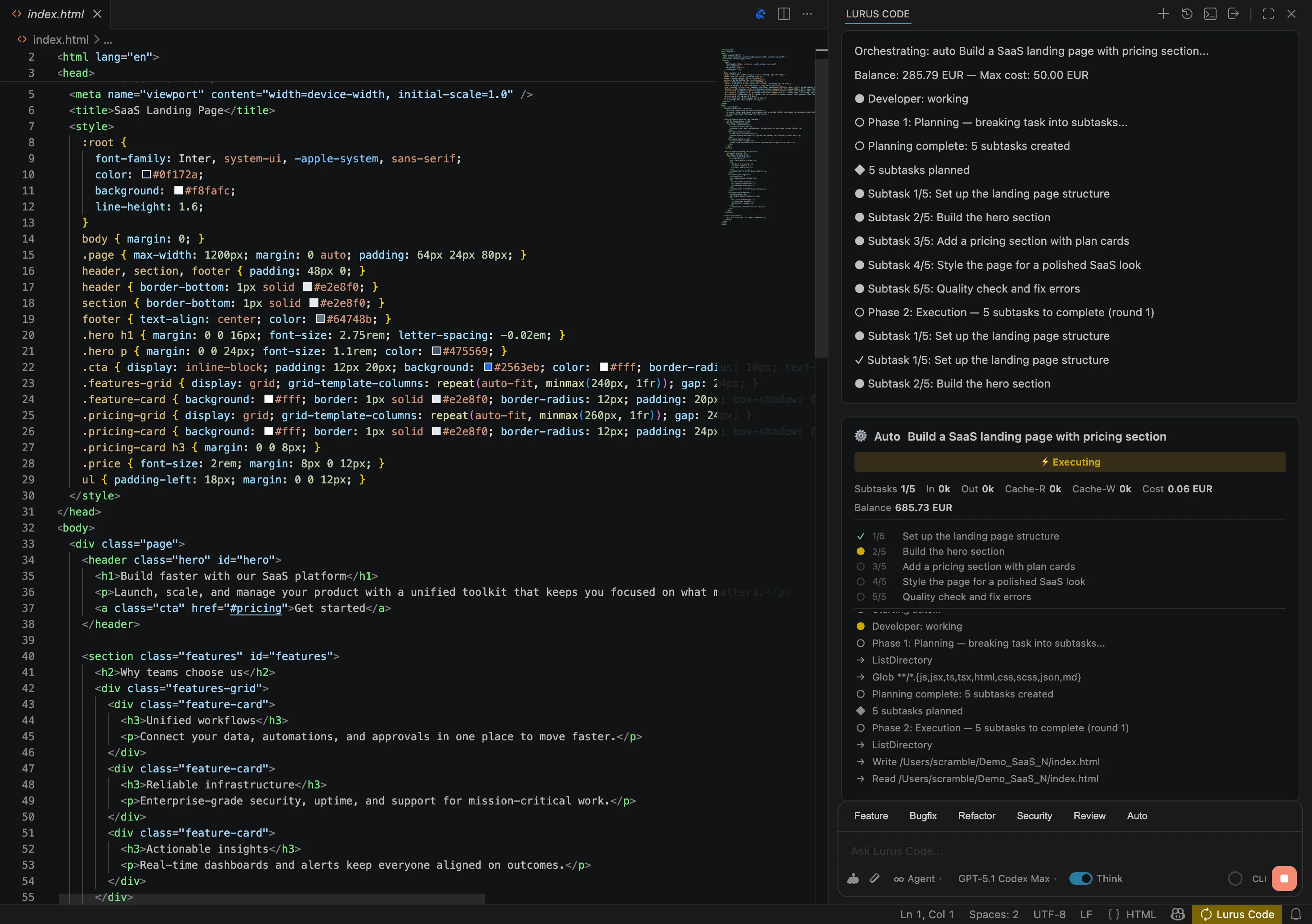
How Auto mode works
Phase 1 · Planning
A dedicated planner subagent decomposes the task into concrete subtasks with success criteria.
Phase 2 · Execution
Executor agents implement each subtask sequentially with full tool access: read, write, edit, bash, and more.
Phase 3 · Verification
A QA agent reviews the result, runs tests and build checks, and can fix small issues directly.
Loop until done
If the QA finds gaps, new fix-subtasks are created and the loop continues until the goal is fully met.
Cost limits
Set a max cost in EUR (default: 20 EUR). The loop stops cleanly when the limit is reached.
Model escalation
If a subtask fails, the orchestrator retries with a more capable model automatically.
Let the orchestrator do the work.
Describe your goal. Lurus Code plans, implements, and verifies it — autonomously.
Get started