Your code is never stored. Processing exclusively in EU data centers. GDPR-compliant.
View our security standardsSelect Code. Give Instruction. AI Edits.
The fastest way to transform code. Select any code, describe the change in natural language, and the AI performs the edit instantly.
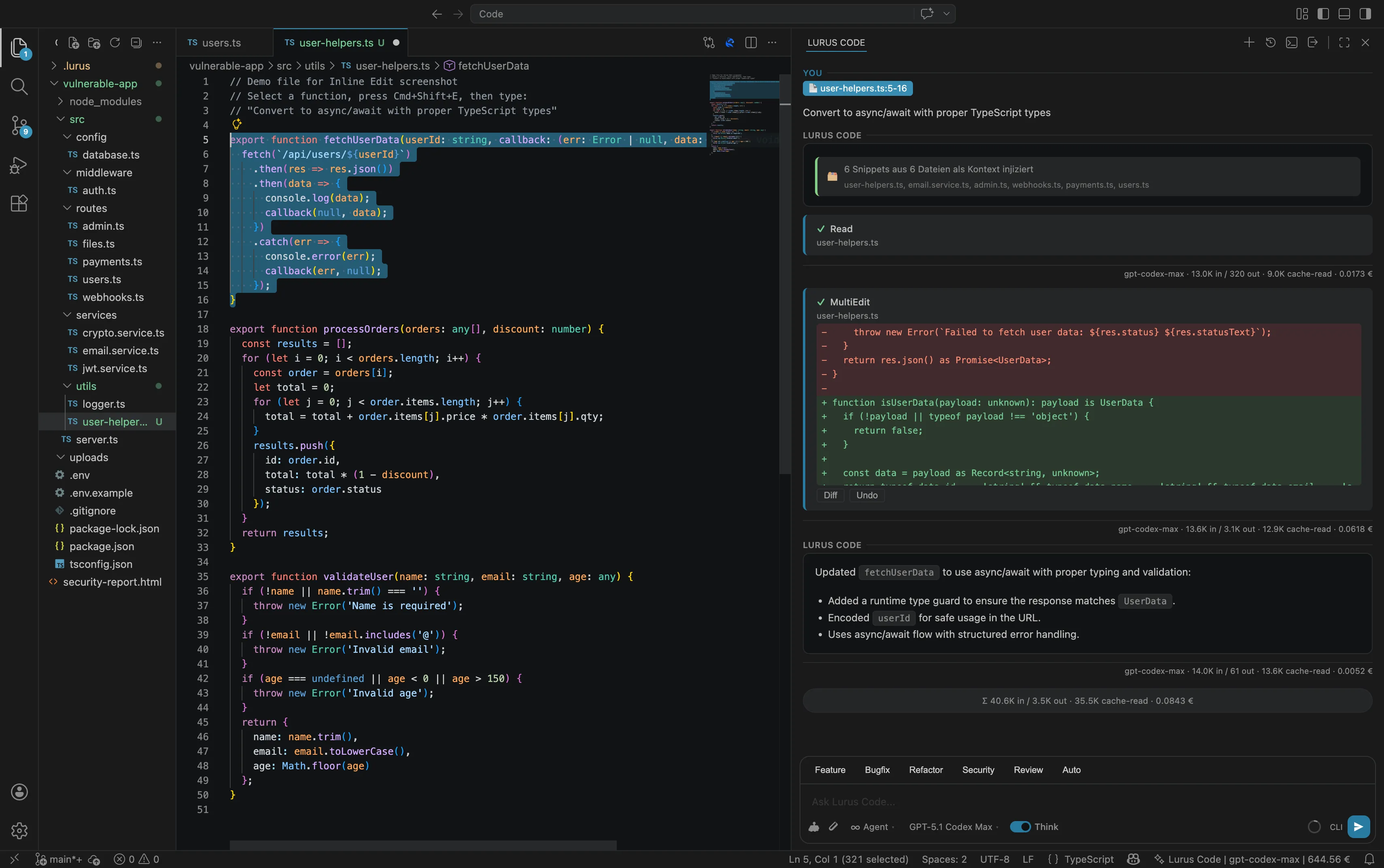
Transform Code in 4 Simple Steps
Select Code
Select the code you want to edit. This can be a single line, a function, or an entire block.
Press Shortcut
Press Cmd+L (Mac) or Ctrl+L (Windows/Linux) or use the context menu.
Enter Instruction
Describe in natural language what the AI should do with the code.
AI Edits
The AI analyzes the code, understands the context, and performs the desired change.
Endless Possibilities
From simple refactorings to complex transformations - Inline Edit makes everything possible.
Refactoring
"Extract this logic into a separate function"
Select code and let the AI extract it into a clean, reusable function.
Error Handling
"Add try-catch with meaningful error messages"
The AI wraps your code with robust error handling and meaningful error messages.
Documentation
"Add JSDoc comments"
Automatically generate documentation for functions, classes, and modules.
Optimization
"Optimize the performance of this loop"
Let the AI identify and optimize inefficient code.
Security Fixes
"Fix the SQL injection vulnerability"
The AI identifies security vulnerabilities and implements secure alternatives.
Generate Tests
"Write unit tests for this function"
Automatically generate tests based on the selected code.
Internationalization
"Extract strings for i18n"
The AI extracts hardcoded strings and prepares them for translations.
Accessibility
"Add ARIA labels"
Automatically improve the accessibility of your UI components.
Before & After
Async/Await Conversion
function fetchUser(id) {
  return fetch(`/api/users/${id}`)
    .then(res => res.json())
    .then(data => {
      console.log(data);
      return data;
    })
    .catch(err => console.error(err));
}async function fetchUser(id) {
try {
const res = await fetch(`/api/users/${id}`);
const data = await res.json();
console.log(data);
return data;
} catch (err) {
console.error(err);
}
}TypeScript Typing
function processOrder(order, discount) {
  const total = order.items.reduce(
    (sum, item) => sum + item.price * item.qty,
    0
  );
  return total * (1 - discount);
}interface OrderItem {
price: number;
qty: number;
}
interface Order {
items: OrderItem[];
}
function processOrder(
order: Order,
discount: number
): number {
const total = order.items.reduce(
(sum, item) => sum + item.price * item.qty,
0
);
return total * (1 - discount);
}Add Validation
function createUser(name, email, age) {
  return db.users.create({
    name,
    email,
    age
  });
}function createUser(name, email, age) {
if (!name || typeof name !== 'string') {
throw new Error('Name is required');
}
if (!email || !email.includes('@')) {
throw new Error('Valid email is required');
}
if (typeof age !== 'number' || age < 0) {
throw new Error('Age must be positive');
}
return db.users.create({
name: name.trim(),
email: email.toLowerCase(),
age: Math.floor(age)
});
}More Than Just Find & Replace
Inline Edit understands the context of your code. The AI analyzes not just the selection, but also the surrounding codebase to make intelligent changes.
Magic in Action
The AI understands your intent and delivers precise results
Ready for Inline Edit?
Install the Lurus Code extension for your IDE and transform code with a single shortcut.